
Your calendar, on your reMarkable
synced automatically.
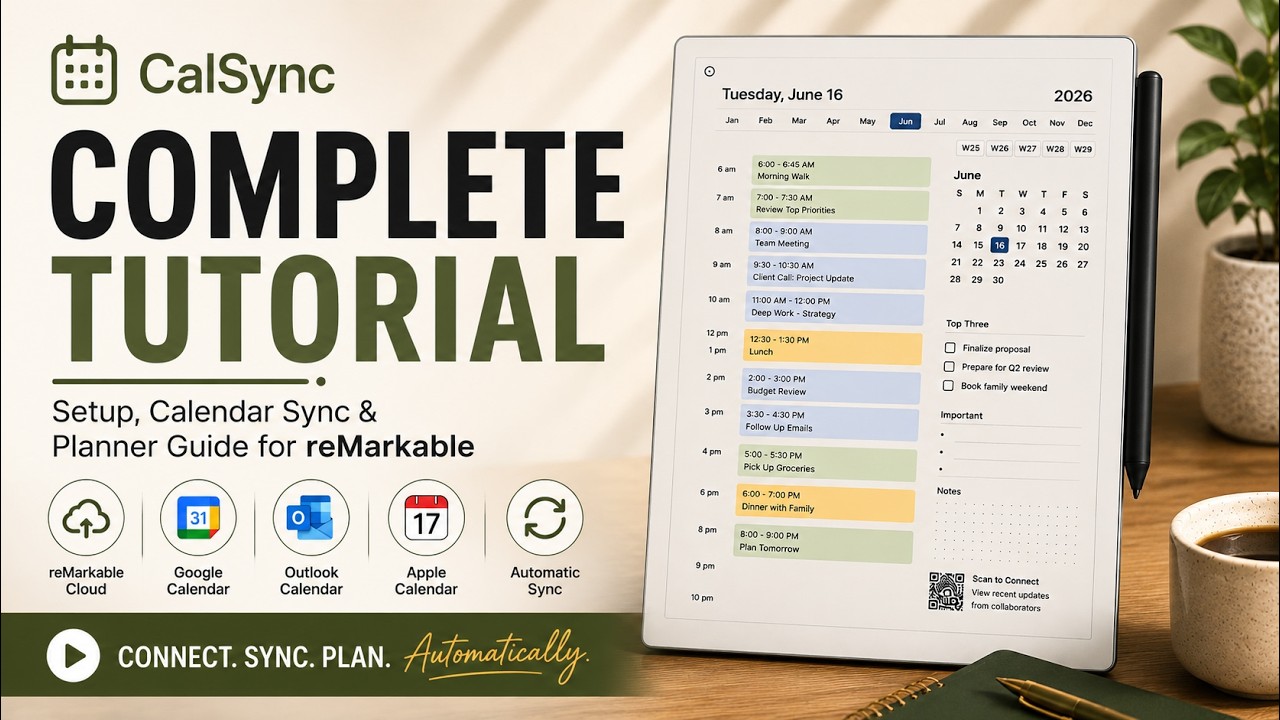
CalSync pulls your Google, Apple, and Outlook events straight onto unlimited planner pages — now with native cloud sync, so there's no Developer Mode and no cables to deal with. Every handwritten note stays exactly where you left it.
Get CalSync · $49 lifetimeOne purchase. No subscriptions. Includes free updates and support.

How CalSync works
No technical background needed — three steps from your calendar to your tablet.
Connect your calendar
Link Google, Apple, or Outlook in a couple of clicks. Pick exactly what you want to sync.
Generate your planner
CalSync builds your planner with your real events placed on the right days — yearly, monthly, or custom.
Sync to your device
Send it to your reMarkable. Re-sync any time — your handwritten notes are always preserved.
Native cloud sync — no Developer Mode, no cables
Our biggest update yet. Connect your reMarkable straight through reMarkable Cloud — just sign in and sync. No Developer Mode to enable, no USB cable, no complicated setup. Sync your planner from anywhere with an internet connection.
- Connect through reMarkable Cloud in seconds
- No Developer Mode required for cloud sync
- No USB cable needed
- Sync from anywhere — your handwriting always preserved

All your devices, one place
Add a profile for every tablet you own and switch the active one with a tap. CalSync remembers the right connection for each device, so your planner always goes where it should.
- reMarkable Cloud, Direct Wi-Fi / USB, or Universal Mode
- Switch between devices any time
- CalSync remembers each device's connection
- Choose exactly where planners save with direct folder selection

Create unlimited planners forever
Never buy another planner again. Generate as many as you want — yearly, monthly, or fully custom — tailored to your workflow. Regenerate any time and your handwritten notes carry over untouched.
- Unlimited planner generation
- Yearly, monthly & custom date ranges
- Personalize every planner with custom color cover pages
- Handwriting preserved on every update
- Favorites stay favorites when you regenerate
- Jump straight to today from the planner cover

Sync real calendar events automatically
Stop rewriting your schedule every day. CalSync connects directly to Google, Apple iCloud, or Outlook and drops your real events onto the right day and time — meetings, reminders, birthdays, deadlines.
- Combine multiple Google, Outlook, Apple, and other calendars into one planner
- Upload private ICS calendar files directly from your computer. No public sharing required
- Events pulled directly into planner pages
- Auto-refresh on every regeneration
- Unlimited events across all connected calendars

Today’s schedule at a glance
Your daily events are summarized right on your reMarkable’s sleep screen — so your schedule stays visible even when the tablet is asleep. No unlocking, no app-hopping.
- Daily agenda on the sleep screen
- Updates with every sync
- Clean, distraction-free layout

Plans in your language
CalSync adapts month names, weekdays, date formats, and headers to your region automatically — perfect for EU users and anyone who plans across multiple languages.
- English, French, Spanish, Italian, German & Japanese
- Region-aware date formats
- Native-feeling planners anywhere

Built for reMarkable — works on any tablet
Optimized first and foremost for reMarkable. With Universal Mode, CalSync generates planners for any tablet that can open a PDF — no Developer Mode required.
Ready to start?
One purchase. No subscriptions. Includes free updates and support.
One payment. Yours for life.
No subscriptions, no renewals. Lifetime updates included.
CalSync — Vault Edition
- Unlimited planners & calendar events
- Google, Apple & Outlook sync
- Sleep-screen agenda
- 6 languages + Universal Mode
- Lifetime updates
Productivity Bundle
- Everything in CalSync Vault
- Ep Binder Cloud — All Access
- Templates + screen personalization
- Best value for power users
- Lifetime updates on both
Lifetime license • Free updates • Dedicated support
Questions, answered
Is this a subscription?
No. CalSync is a one-time purchase with a lifetime license and free updates. You pay once and own it.
Do I need Developer Mode or technical skills?
For most people, no. With native cloud sync you just sign in through reMarkable Cloud — no Developer Mode and no cables. A couple of advanced extras still need Developer Mode enabled on your device: the Daily Carousel sleep-screen agenda and restarting the tablet from the app. You don't have to use those, and cloud sync works without them. Universal Mode also needs no Developer Mode — you generate the planner and transfer it yourself.
Which calendars and devices are supported?
Google, Apple iCloud, and Outlook calendars. Devices: reMarkable 1, 2, Paper Pro, Move, and Pure — plus iPad and Android tablets via Universal Mode. The desktop app runs on macOS and Windows.
How do I know my planner actually synced?
The Activity screen logs every sync and tags how it was delivered — reMarkable Cloud, Direct, or USB — so you always know when your planner updated. Cloud delivery is more reliable than ever: planners land in the correct folder and failed uploads retry automatically.
Will syncing erase my handwritten notes?
Never. Your handwriting is fully preserved every time you regenerate or re-sync a planner.
What if I run into trouble?
Our US-based support team is here to help. If CalSync isn’t working the way you expect, reach out and we’ll work with you to get it sorted.
See CalSync in action
Watch how quickly your calendar syncs onto your reMarkable — notes and all.
Start planning the way you
were meant to.
Unlimited planners, automatic sync, your notes always intact.
Get CalSync · $49 lifetimeOne purchase. No subscriptions. Includes free updates and support.